

Download Firefox Nightly – Touch‑Optimized, Windows 8 Ready Browser
Overview
Firefox Nightly is Mozilla’s cutting‑edge, daily‑updated build of the Firefox web browser. Designed with the upcoming Windows 8 Modern UI in mind, Nightly brings a fresh, touch‑friendly experience while keeping the power and privacy that Firefox users expect. Because it is a testing channel, Nightly receives the newest features, UI tweaks, and performance improvements before they land in the stable release.
This means you get to explore innovations such as live thumbnail tabs, a Metro‑style home screen, and deeper Windows integration—right after they are coded. However, the trade‑off is reduced stability; occasional crashes or UI glitches can still occur as developers iron out bugs. If you prefer a rock‑solid browsing experience, the regular Firefox release is still the safer choice.
For early adopters, developers, and power users who love to be on the forefront of browser technology, Firefox Nightly offers a glimpse of the future—especially for touch‑centric devices and the Windows 8 ecosystem. Its modern look borrows rounded tabs reminiscent of Google Chrome, but it retains Firefox’s hallmark customizability and open‑source ethos. Whether you’re a Windows 8 enthusiast eager to test a browser that feels native, or a cross‑platform user curious about experimental features, Firefox Nightly delivers a compelling, if occasionally volatile, browsing environment.
Key Features
- Modern UI home screen with live tiles for frequently visited sites.
- Touch‑optimized tab bar showing live thumbnails of open pages.
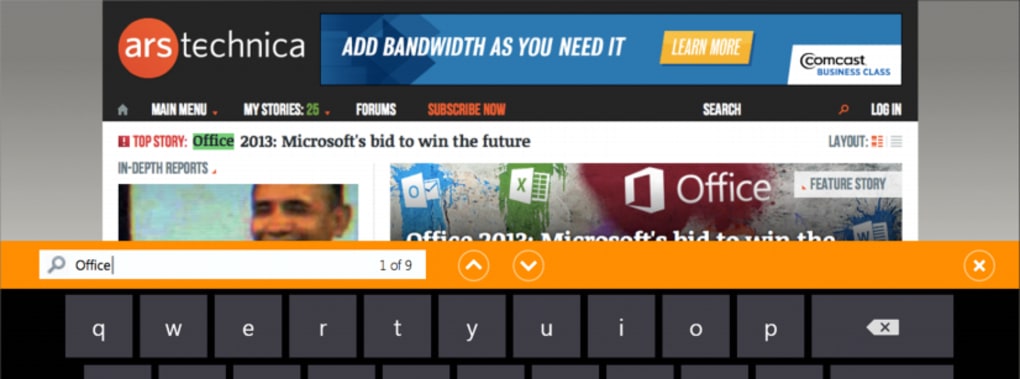
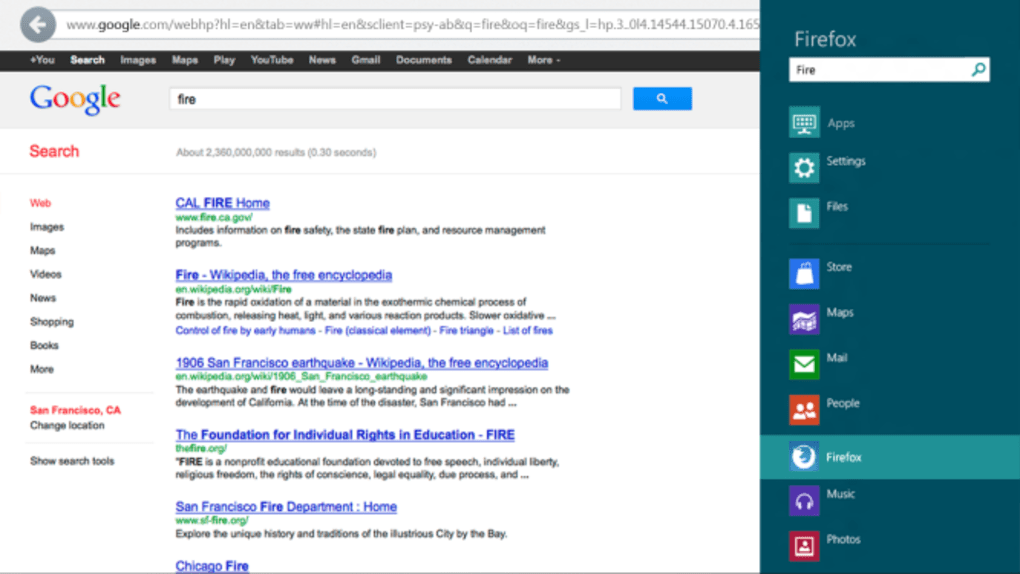
- Integrated Windows + F search shortcut for instant web queries.
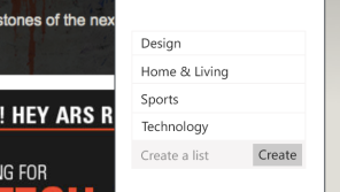
- Redesigned bookmarks stored as sortable lists instead of folders.
- Full support for Windows 8 Metro gestures (swipe up for address bar).
- Cross‑platform nightly builds for Windows, macOS, Linux, Android and iOS.
- Continuous security updates and early access to upcoming Firefox features.
- Customizable UI themes and extensions compatible with the stable channel.
Firefox Nightly’s feature set is crafted to make browsing on touch devices feel natural and fluid. The home screen adopts the Windows 8 “live tile” concept, presenting your top sites as interactive squares that update in real time. This visual cue reduces the need to type URLs, allowing users to tap directly into the content they use most.
The new tab bar pushes the envelope further by rendering live thumbnails of each open page, enabling quick visual identification and one‑tap switching—ideal for multitasking on tablets or convertible laptops. By mapping the familiar Windows + F shortcut to the browser’s search field, Mozilla streamlines the workflow for users who rely on keyboard shortcuts, delivering instant suggestions from Google or your preferred search engine. Bookmarks have been overhauled to eliminate the clutter of deep folder hierarchies; instead, they appear as clean, sortable lists that you can rearrange with a simple drag‑and‑drop gesture.
This design decision not only speeds up bookmark management but also aligns with the flat navigation patterns favored by modern operating systems. While the nightly channel is primarily targeted at Windows 8, Mozilla ensures parity across other platforms, meaning developers can test upcoming features on macOS, Linux, Android, or iOS without switching browsers. Lastly, Nightly inherits the robust extension ecosystem from the stable release, so your favorite add‑ons continue to work, giving you a powerful, customizable tool that stays ahead of the curve.
Installation & Usage Guide
Downloading Firefox Nightly
To begin, visit the official Mozilla Nightly page and click the “Download for Windows” button. The installer is a small .exe file (approximately 50 MB) that includes the latest nightly build. For macOS, Linux, Android, or iOS, select the appropriate package from the dropdown menu. Because Nightly is a testing build, the installer is signed by Mozilla, ensuring a secure download free from tampering.
Step‑by‑Step Installation (Windows 8/10)
- Run the downloaded
FirefoxNightlySetup.exefile. - When prompted, choose “Custom Installation” to keep the stable Firefox version separate.
- Accept the license agreement and click “Install”.
- After installation, you’ll see a new shortcut labeled “Firefox Nightly” on your desktop and in the Start menu.
- Launch the app; the first run may take a few seconds as the browser loads the latest build and updates its internal components.
First‑Run Experience
Upon opening Firefox Nightly, you’ll be greeted by the Modern UI home screen. Swipe up from the bottom bezel (or press Windows + F) to bring up the address bar. From here you can type a URL, search the web, or select one of the live‑tile shortcuts.
The top‑most tab bar displays live thumbnails; tapping a thumbnail instantly switches to that page. For mouse users, right‑clicking the tab area opens a context menu with standard options such as “Pin Tab”, “Duplicate”, or “Close”. If you prefer a classic desktop look, you can switch to the “Desktop Mode” via the settings menu; the interface will revert to a familiar Firefox 15 style while retaining all Nightly features.
Keeping Nightly Updated
Nightly updates automatically each day, delivering the newest code changes. The browser checks for updates on startup and prompts you to restart when a new build is ready. For power users who want immediate updates, you can enable “Continuous Release” in the “About Nightly” dialog, which forces the browser to download and install builds as soon as they are published. Because Nightly runs on a rapid development cycle, it’s advisable to back up your profile regularly—simply copy the %APPDATA%\Mozilla\Nightly folder to a safe location.
Compatibility, Pros & Cons
Supported Operating Systems
Firefox Nightly is officially built for the following platforms:
- Windows 8 and later (including Windows 10 and Windows 11)
- macOS 10.14 and later
- Various Linux distributions (Ubuntu, Fedora, Debian)
- Android 8.0+ (ARM and x86)
- iOS 13+ (via TestFlight for experimental builds)
While the touch‑optimized UI shines on Windows 8 tablets and convertible laptops, the same binary works seamlessly on traditional desktop setups, providing a consistent experience across device types. Mozilla maintains separate nightly channels for each OS, ensuring platform‑specific optimizations such as native gesture handling on Android and iOS.
Pros
- Cutting‑edge features appear days before they reach the stable channel.
- Touch‑friendly interface designed for Windows 8 Modern UI.
- Live thumbnail tabs improve multitasking on tablets.
- Integrated Windows + F search shortcut speeds up web queries.
- Frequent security patches keep the browser safe from emerging threats.
- Full compatibility with most Firefox extensions.
Cons
- As a testing build, occasional crashes or visual glitches may occur.
- Frequent updates can consume bandwidth on limited connections.
- Some enterprise policies block nightly installations.
- Feature set may change rapidly, leading to a learning curve.
- Not all extensions are immediately compatible with nightly APIs.
Frequently Asked Questions
Is Firefox Nightly free to download?
Yes, Firefox Nightly is completely free. Mozilla provides it at no cost for anyone who wants to test upcoming features.
Can I use Firefox Nightly alongside the stable Firefox release?
Absolutely. Nightly installs in a separate folder and creates its own profile, allowing you to run both browsers side‑by‑side without interference.
How often does Firefox Nightly receive updates?
Nightly receives a new build every 24 hours. Some days you may see multiple incremental updates as urgent fixes are pushed.
Will my extensions work in Nightly?
Most extensions designed for the stable Firefox work in Nightly, but a few may need updates to be compatible with the latest APIs. Check the extension’s page for nightly support notes.
Is Firefox Nightly safe to use for everyday browsing?
While Nightly includes the latest security patches, its experimental nature means occasional instability. It’s safe for daily browsing if you’re comfortable with occasional restarts, but for mission‑critical work the stable release is recommended.
Conclusion & Call to Action
Firefox Nightly represents Mozilla’s boldest step toward a touch‑centric web experience, especially for Windows 8 users who crave a browser that feels native to the Modern UI. By delivering live thumbnail tabs, a tile‑based home screen, and seamless Windows integration, Nightly pushes the envelope of what a desktop browser can do on a tablet or convertible. The trade‑off is the inherent instability of a testing channel—crashes, UI quirks, and frequent updates are part of the package. Yet for developers, early adopters, and anyone who enjoys shaping the future of web technology, those growing pains are a small price to pay for the privilege of testing tomorrow’s features today.
If you’re ready to explore the next generation of Firefox and experience a browser built for touch, click the button below to download Firefox Nightly. Remember to keep a backup of your profile and stay on top of updates, and you’ll enjoy a cutting‑edge browsing experience that keeps pace with Windows 8 and beyond.







